- JW Player is a New York-based company that helps websites host video content efficiently and provides an easy interface for website owners.
- Two methods for downloading JW Player videos easily online: Using Google Chrome/Mozilla Firefox without additional software, or using Internet Download Manager (IDM) for simplicity and functionality.
- Users can choose the method that best suits their preferences and needs, either through browser methods or utilizing IDM for seamless video downloads.
Are you looking to download JW player videos without any hassle? If you are one of those guys who is looking for a detailed guide about how to download JW player videos for free then this is the only article you need. In this article, we will show you many working methods from which you can download any online streaming videos which use JW player.
The best thing about this guide is that you don’t need to install any new applications or downloaders to actually download JW player videos. Sounds great. Isn’t it?
Download JW Player Videos: For all those who don’t know what is JW player, let me tell you what is JW player and how most of the streaming sites use JW player to provide you with their video content. If you know about JW players you can skip this part and directly go to our download guide. In that guide, we will show you how you can download JW player videos without any other software and in an easy way. Without wasting any more time, let us actually begin with this article.
JW Player is a Newyork based company that helps websites to host their video content. They help the website owners embed video clips on their web pages in an easy way. JW Players have become very famous as they are very efficient in using the resources of the website and also provide a clean and easy interface for the website owner’s to upload their content.

JW Player takes full control of your video contents and provides many API from which you can access your video content in different ways. Once you share your video in your console you just need to copy the HTML code into your website. This is why the JW player is used by many of the leading news and journal sites. Now you have some understanding of fJW player. Isn’t it?
Don’t Miss: How To Download Videos From Voot On PC and Android
Ways To Download JW Player Videos
Now address the elephant in the room, how to download JW player videos? Was this question running in your mind? Let us discuss exactly what are all the methods from which we can download JW player videos. I will show you 2 different methods in detail using you can download videos from any online streaming site. Let us look at the first method.
Method#1. USING GOOGLE CHROME / MOZILLA FIREFOX
What is the browser you currently using? Is it Chrome or Firefox? Almost 90% of people’s answers will be from these two. Let us know what browser you are using in the comment section below . The best part about these two browsers is they are extremely powerful and have all the advanced options as well. So if you are using any of these browsers you don’t need to install any application to download any online videos. Follow the below guide to start downloading online videos.
STEP 1: Fire up the browser of your choice (Chrome or Firefox).
STEP 2: Navigate to your favorite streaming site from which you need to download any online video.
STEP 3: Click the play button of that video in the JW player on that page and wait until the video gets loaded completely.
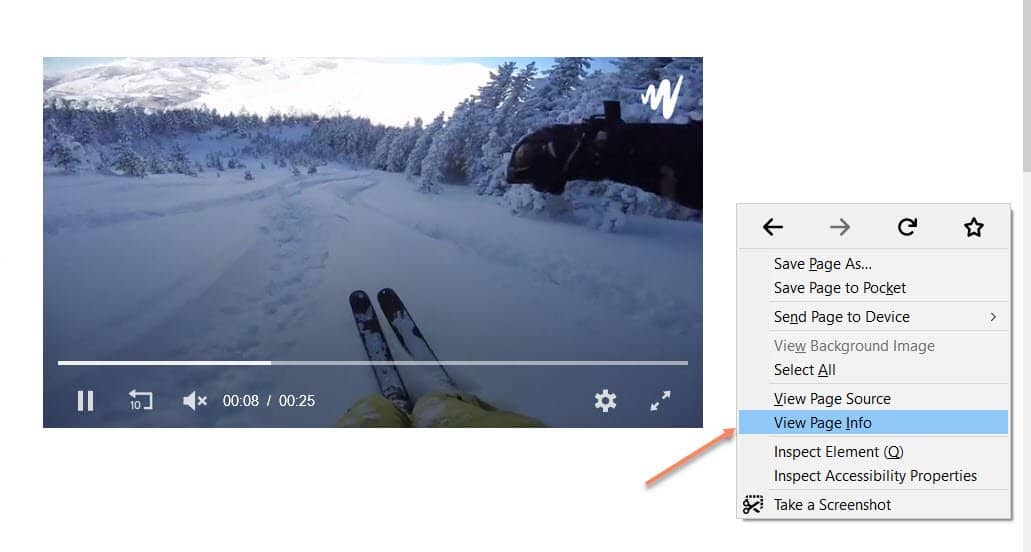
Picture by: Silicophilic
STEP 4: Once the video starts playing, press the pause button. If you are on Google chrome press Ctrl + Shift + I or right-click on the web page and click Inspect element .
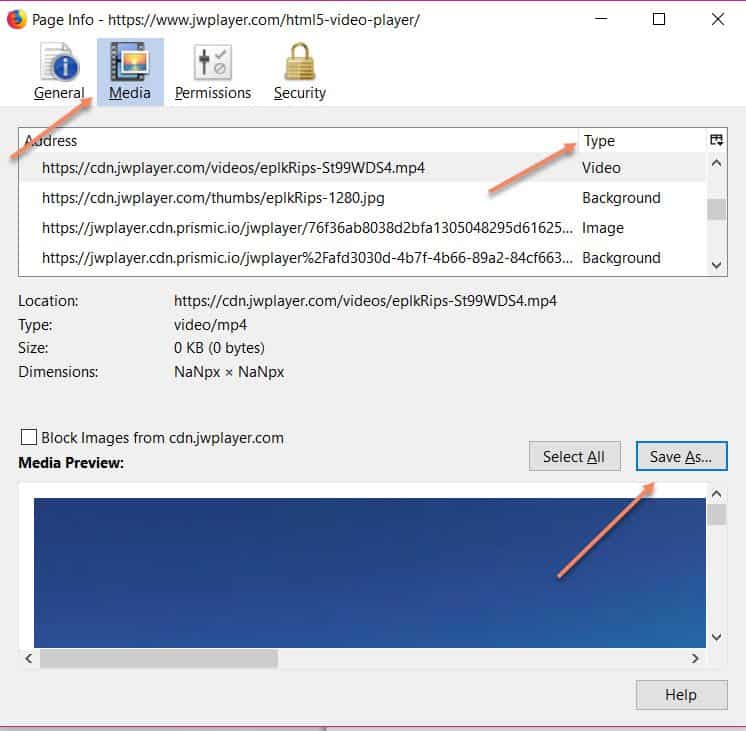
If you are using Firefox, right-click on the webpage and select view web info.
STEP 5: After that, if you’re on chrome navigate to Network and select Media. In case if you are using Firefox you can directly get the Media button.
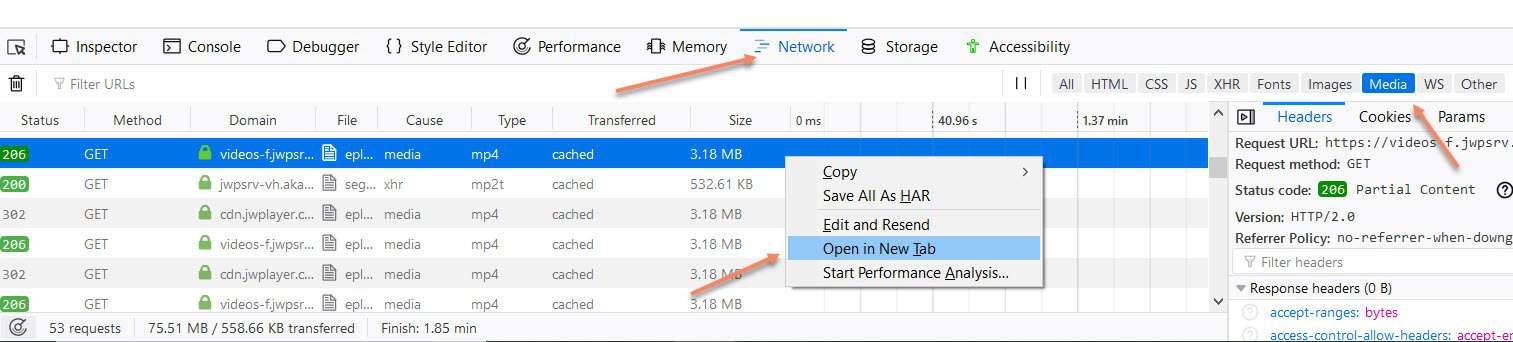
STEP 6: Once you entered into the Media page you can see some links are ending with .mp4 or any other video extensions.
Now all you need to do is just copy that video URL and open the URL in a new tab. Once you opened that URL in a new tab, it will automatically start downloading your favorite video. Hola! It is so simple Isn’t it? So what are you waiting for? Navigate to your favorite online streaming site and download your favorite videos.
Using this method you can download all your favorite JW player videos without any other software or extensions in your browser. But if you don’t want to get the URL of the video every single time or you have no issues in using some other downloaders to download the online video then we got you covered in our second method of download JW player videos. Let us look at this method.
Method #2. USING INTERNET DOWNLOAD MANAGER (IDM):
IDM needs no introduction 🙂 It is the most used download manager on any platform. If you ever used to download big files you will definitely come across this name. Isn’t it? If you still don’t know what this application is, it is a simple application which let you download big files and provides you some facility like pause, better speed, and reliability.
You can also download any online videos which are streaming on the browser. The best part of IDM is its simplicity and functionality. You can download any videos just by tapping a download button if you are going to use IDM. To download online videos using IDM, follow these steps.
STEP 1: Download IDM by searching the following keyword on google “Download IDM Latest Version 2021”

STEP 2: Open the executable file and install IDM on your computer. While doing this close all your browsers.

STEP 3: Once you successfully installed IDM on your PC, you will get a pop up of download video in every online video you are streaming.
Which method do you like the most? Which suits you let us know in the comment section.
