- Amazon is a massive global brand offering e-commerce, cloud computing, and digital services
- Changing phone number on Amazon is easy, contact customer service if needed
- Steps provided to change phone number via Amazon website, Android app, and iOS app
- Search and visit Amazon’s official Website using your browser.
- Log in to your account by using the appropriate credentials.
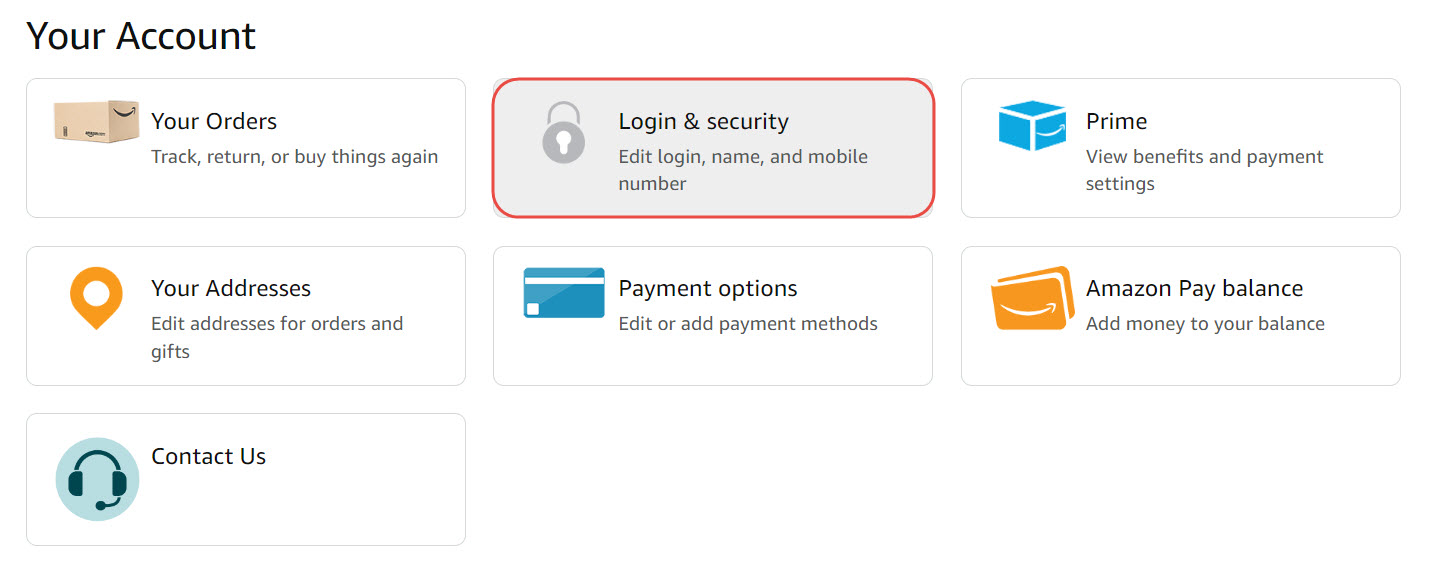
- You can see the Accounts and Lists section on the right of Amazon’s homepage. Click on that.
- Now, a dropdown menu will be there, search and click on your account.
- Choose “ Login and Security ” from the list of options that appears.
- Hit “ Sign In ” after entering your password.
- Click “ Edit ” next to your phone number and Fill in your new phone number in the applicable areas.
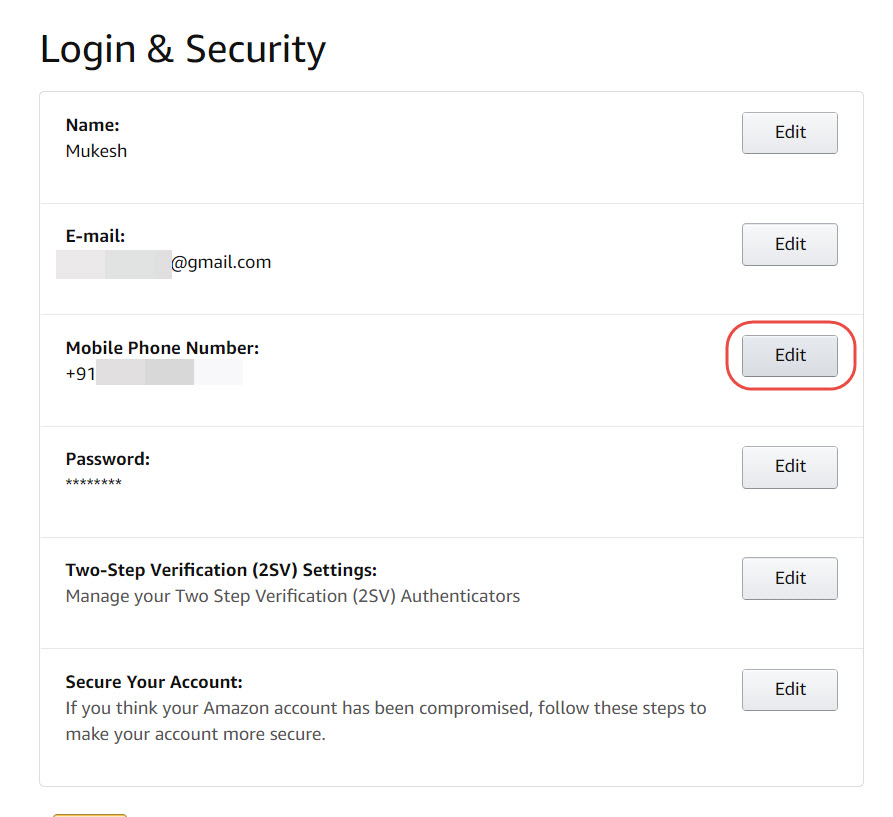
- Then, Save Changes , and your phone number is now updated.
Make sure you’re logged in to Amazon on your phone by opening the app.
In the lower right corner, tap the three horizontal lines.
Open “ Login & security ” under “ Your Account .”
Tap “ Edit ” next to the phone number field.
You will receive an SMS, email, or text message to your registered cellphone number.
Click on approve , go back to the Amazon page and click “ Edit .”
Fill in your new phone number when requested.
Select “ Save Changes ” after you’re finished.
Your phone number should be updated now.
On your iPhone, open the Amazon app.
Log in to your account with your Amazon credentials if you haven’t already.
Select the three horizontal dots in the upper right corner of the screen to get to your “ Account ” page.
Select “ Edit ” from the dropdown menu next to “ Phone Number. “
Then, to update your phone number, follow the on-screen directions.
To finish updating your phone number, click “ Save Changes. “
Conclusion
- Install Amazon Appstore and Sideload Android Apps on Windows 11
- How To Fix Payment Revision Needed on Amazon
- Fix Amazon Prime Video Error Code 2063
- How To Delete Your Amazon Account Permanently
- How To Enable Amazon Dark Mode Easily
