- Changing country on Amazon app or website allows access to products not available in local region, cheaper prices, and alternate content on Prime Video.
- To change country on Amazon app: Open app, access settings through hamburger menu, select Country & Language, and choose desired country to save changes.
- To change country on Amazon website: Login, click on country flag, select Change Country/Region, choose new country, and save changes; VPN can help access region-restricted content.
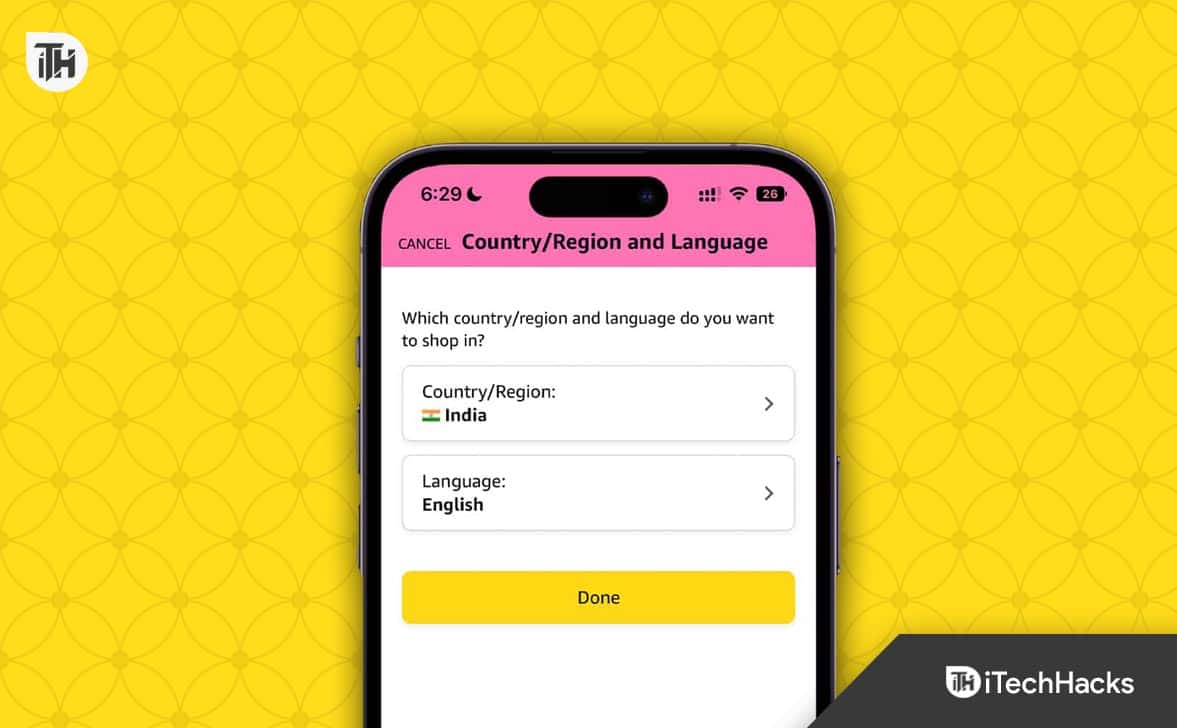
It doesn’t matter whether you are using an iPhone or an Android. The steps are almost identical. You just have to follow these steps, and you are good to go.
- Open the Amazon shopping app.
- Tap on the hamburger menu from the bottom.
- In the next page, scroll down a bit until you see Settings .
- Tap on Settings .
- Once you tap on settings, a drop-down menu will open.
- From the drop-down menu, tap on Country & Language .
- Once you tap on it, you will list of countries where Amazon is available.
- Select your desired country and it will be saved.
However, after changing your country, you will be logged out. Moreover, if you are a prime customer, your prime benefits will also be gone. So, make sure before you perform the such step. On the brighter side, when you follow these same steps to switch back to your original country, everything will be restored to as it was before.
- Open Google Chrome or any other browser installed on your PC.
- Go to Amazon.com.
- If you aren’t logged in, log in .
- Beside the search bar, you will see your Country Flag .
- Hover your mouse on that flag to open the drop-down menu.
- From the drop-down menu, click on Change Country / Region .
- In the next window, select your desired country and click on Save .
What if the Above Methods Don’t Work?
If the above methods aren’t working for you, you can change your country by creating a new account. As already said, if you are a Prime Customer, changing country will take away your Prime benefits. Therefore, it is important that you read the rest of the guide.
Can I Watch Prime Video After Changing Country?
But there’s a way to go around it. Here are the steps you need to follow:
- Download the Best VPN .
- Log out of Amazon from everywhere, including your PC and Mobile. If possible, clear the cache .
- Now, start your VPN and choose the country where your favorite show or movie is accessible.
- Log into Amazon.
- You will receive a verification code to validate the login. Accept that.
- Open Prime Video, and you will see that the movie is now accessible that wasn’t otherwise.
The Bottom Line
- How to Pay with Apple Pay on Amazon
- How to Use PayPal On Amazon
- Change Language on Amazon in PC or Mobile
- How to Activate WE TV on Roku, Amazon Fire Stick, Apple TV
- How to Change Billing Address on Amazon
- What is Amazon Hub Counter? Amazon Hub Counter Near Me
- How to Setup and Login to Amazon Smile Account
- How to Download Amazon Prime Video on Windows 11
- How to View and Download Your Amazon Order History
