- Twitch Prime is a premium service for Amazon Prime subscribers that offers exclusive in-game content, bonus games, and monthly channel subscriptions.
- To cancel a Twitch Prime trial subscription, you can either cancel your Amazon Prime membership to automatically cancel Twitch Prime, unlink Twitch from Amazon Prime, or cancel Twitch Prime directly through the Twitch account settings page.
- Frequently asked questions include availability of Twitch Prime trial worldwide, access to Twitch account after cancellation, post-trial charges, and the relationship between Amazon Prime and Twitch Prime subscriptions.
The features of Twitch Prime include exclusive in-game content and bonus game, twitch prime channel subscription every month, loot gifting, exclusive quotes, and chat badges.

If you have a Twitch Prime membership there can be several reasons, due to which you wish to cancel it. Some of the most prominent reasons include the end of the 7-day free trial of Twitch Prime subscription, it is not what you need, or you just wanted to check it out.
Whatever the reason may be, here we are with some of the methods which you can use to easily cancel your Twitch Prime subscription whenever you want.
How to Cancel Twitch Prime Free Trial?
Follow the steps listed below to execute this method.
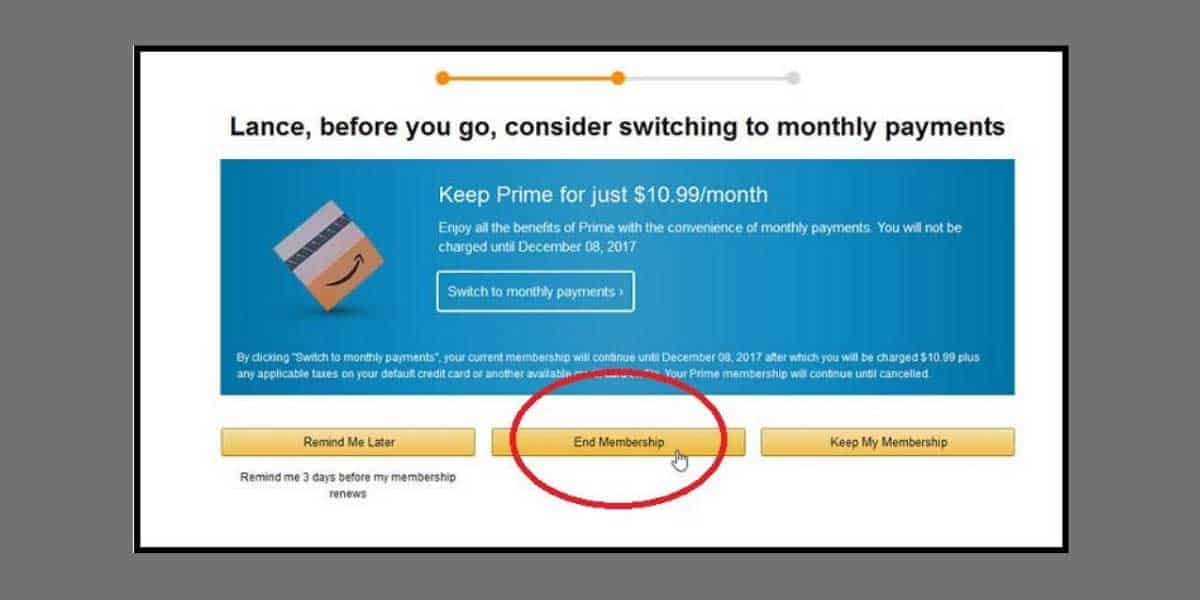
Step 3- In the Digital Content and devices box, click on the ‘ Twitch account settings ‘ option.
Step 5- A dialog box will appear on your screen. Click on ‘ Unlink this Twitch account ‘ to confirm the process.
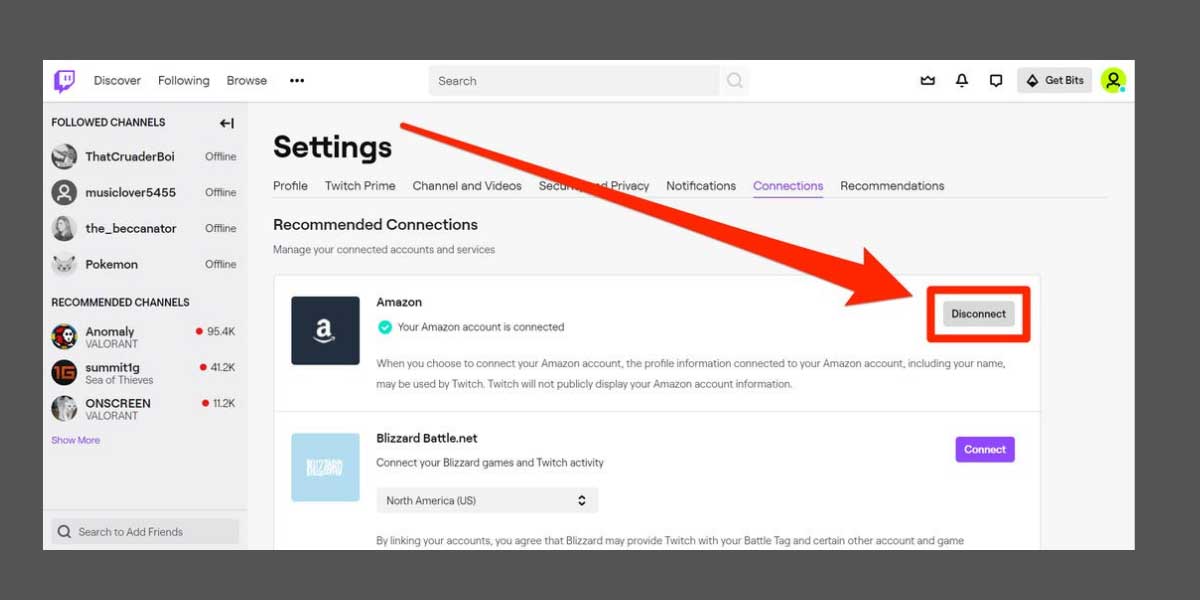
Method 3: Via Twitch accounts settings page
Step 1- Launch a web browser on your device and navigate to the Twitch account login page.
Step 2- Login to your Twitch account and then, click on your profile icon located at the top-right corner of this page.
Step 3- Click on ‘ Settings ‘ from the list of options that appear on your screen.
Step 4- In Settings, click on the ‘ Connections ‘ option from the toolbar.
Step 6- A pop-up window will appear on your screen. Click on the ‘ Yes, Disconnect ‘ option to confirm the process.
Q1. Is Twitch Prime Free Trial available throughout the world?
No. Currently, Twitch Prime is available in selected countries. These countries include the US, UK, Mexico, Canada, Italy, France, Germany, Belgium, Austria, Spain, Japan, Netherlands, Singapore, and Luxembourg.
Q2. Will I be able to use my Twitch account after canceling Twitch Prime Free Trial?
Yes. Canceling your Twitch Prime membership will only block the premium features of Twitch. However, you will be able to use all the features usually provided by Twitch.
Q3. Will Twitch Prime charge me after the trial?
Once the free trial period ends, you will be immediately charged for its paid version. If you want to avoid this payment, you must cancel your Twitch Prime Free Trial before it expires.
