- You cannot delete Amazon orders, but you can hide them by archiving. To archive on a desktop, go to the orders page, select the order, and click ‘Archive Order.’
- View archived orders by going to ‘Returns & Orders’ on Amazon’s website and selecting ‘Archived Orders’ from the drop-down menu.
- Delete browsing history by going to ‘Your Browsing History’ on the Amazon website, clicking on ‘View Your Browsing History,’ and selecting ‘Remove from View’

- Open the browser on your desktop, and head to Amazon .
- Click on Returns & Orders in the top right corner.
- Look for the orders that you want to archive.
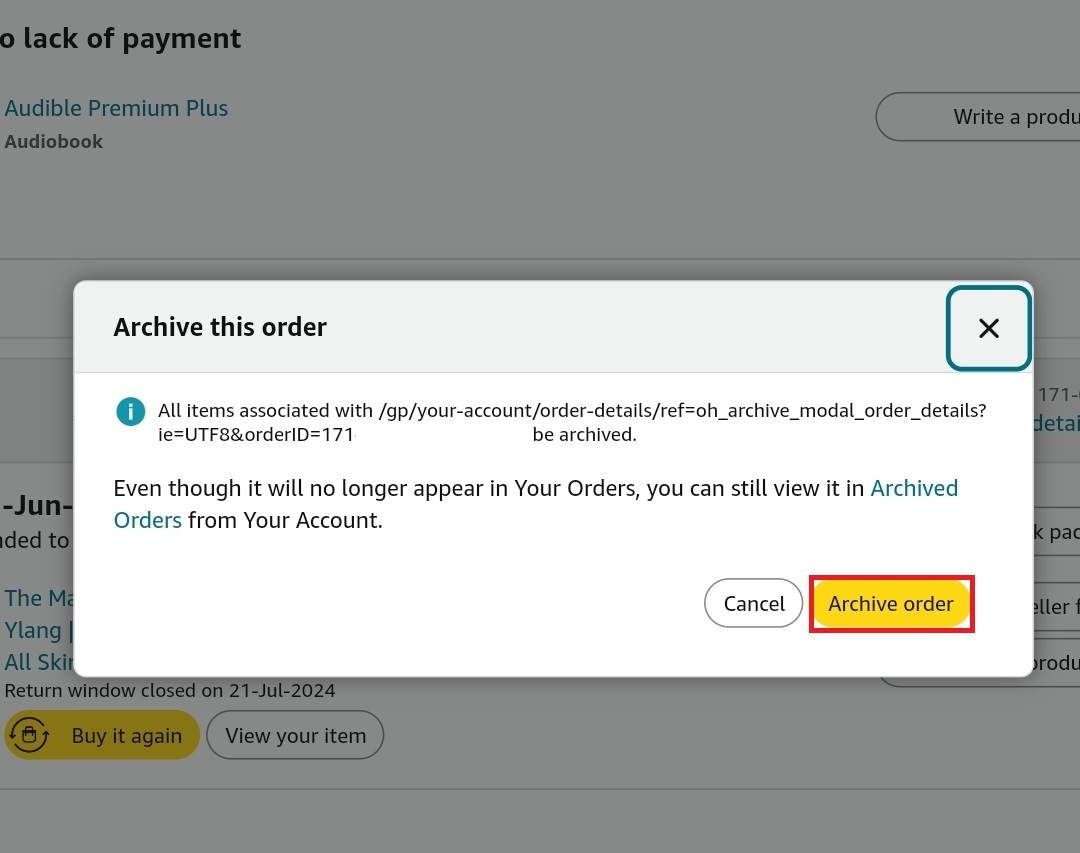
- Click on the Archive Order button.
- Click on Archive Order again to confirm hiding your order.
However, if you want to archive the orders on your phone, then you can do it from the browser. Below are the steps to do so:
- Open the Chrome browser on your phone.
- Head over to the Amazon site.
- Tap on the Menu icon at the top right, and then check Desktop Site .
- On the top right, tap on Returns & Orders .
- Tap on Archive Order under the order you want to archive.
- Confirm by tapping on Archive Order .
If you want to view your archived orders, here’s how that can be done :
Open Amazon on your browser.
Head over to the Returns & Orders in the top right corner.
Now, click on the Past 3 Months drop-down menu.
Click on Archived Orders .
This will show you all the archived orders.
Open the Amazon site on your browser, and sign into your account.
Click on Returns & Orders.
Click on the Past 3 Months drop-down and then on Archived Orders .
Look for the order you want to unarchive and click on Unarchive Order .
How to Delete Browsing History?
Delete Single Item from History
- On the Amazon site, you will see the Keep Shopping For section; click on View Your Browsing History .
- Click on Remove from View from under the item you want to delete from your browsing history.
Delete All Browsing History
- Head to Amazon on your browser.
- Look for the Keep Shopping For section, and click on Your Browsing History .
- Click on the Settings icon.
- Now, click on Remove Items to delete all the browsing history at once.
Bottom Line
- How to Fix the Amazon Shopping App Not Working on Android/iOS
- How to Delete Your Amazon Account Permanently
- Top 5 Ways to Fix Payment Revision Needed on Amazon
- How to Change Billing Address on Amazon
